


How to check my device's MAC Address?
update date :
2024-06-06
For iOS system For Android system For Windows system
For iOS system
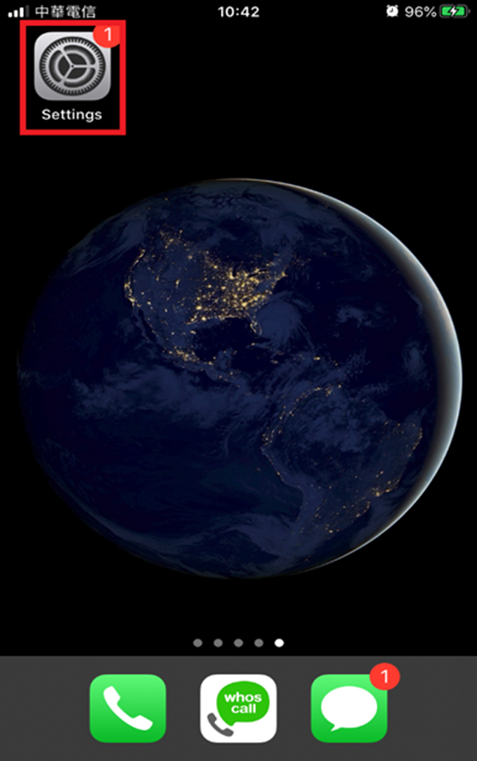
1.Go to "Settings"
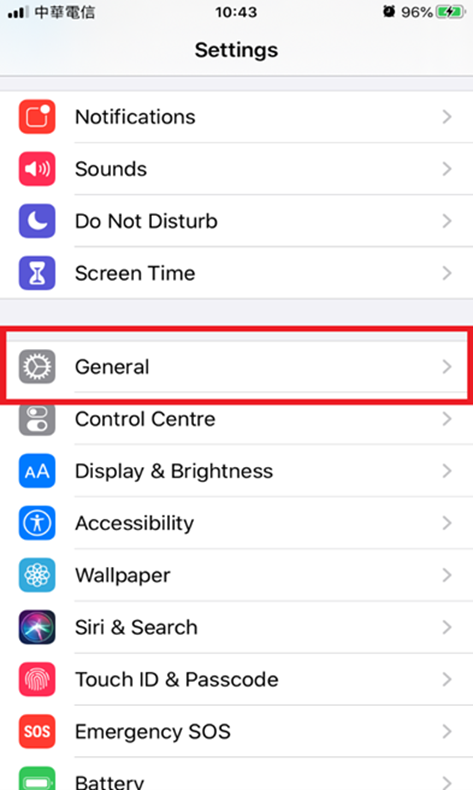
2.Select "General"
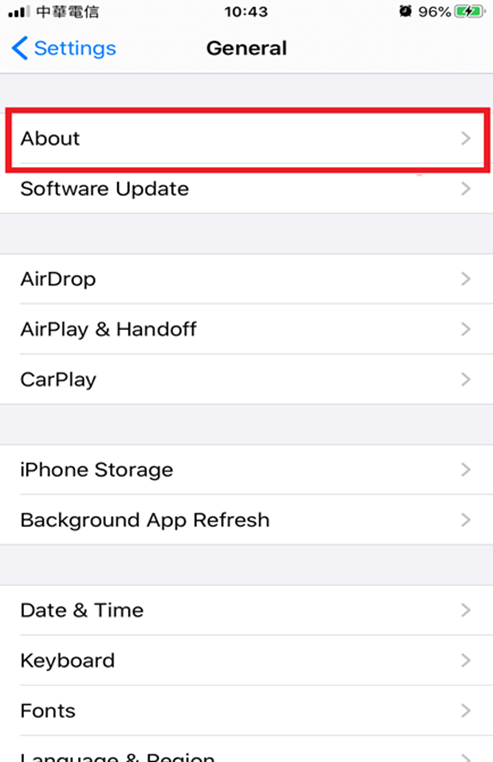
3.Choose "About"
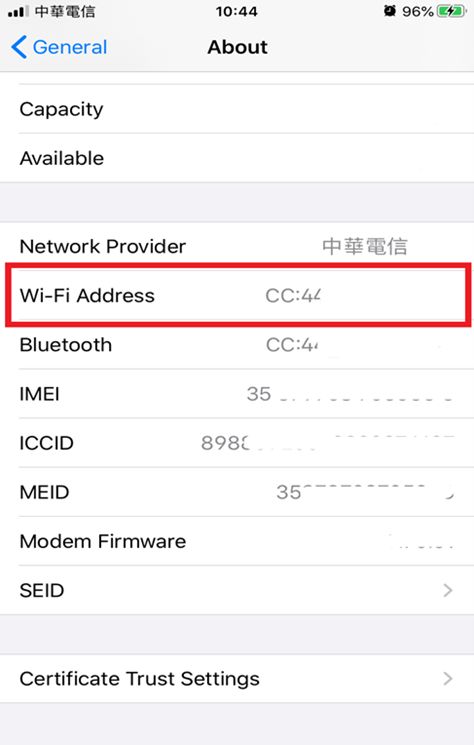
4.Find "Wi-Fi address"
For Android system
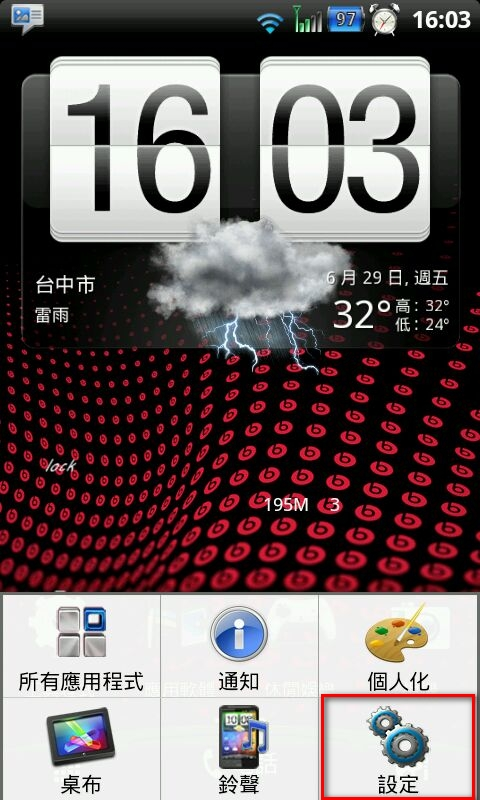
1.Navigate to "Settings"
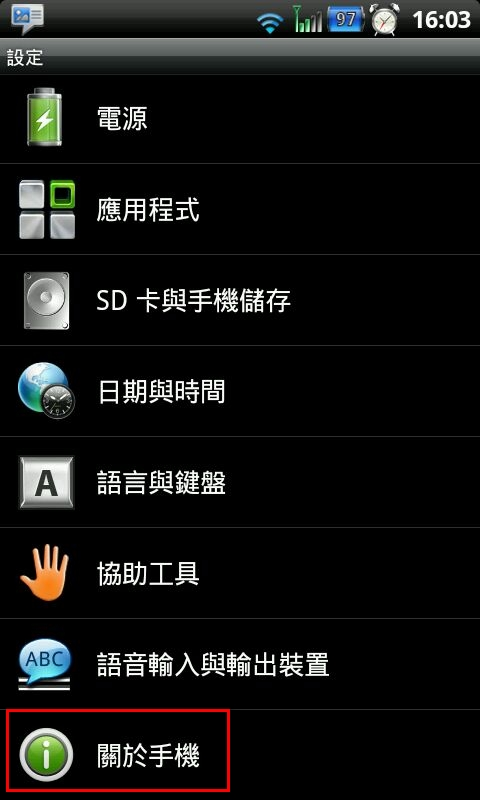
2.Select "About mobile phone"
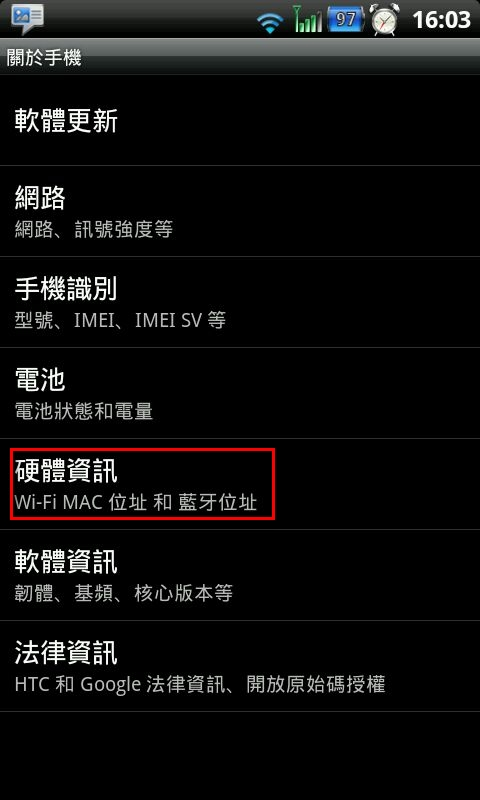
3.Tap on "Status Information"
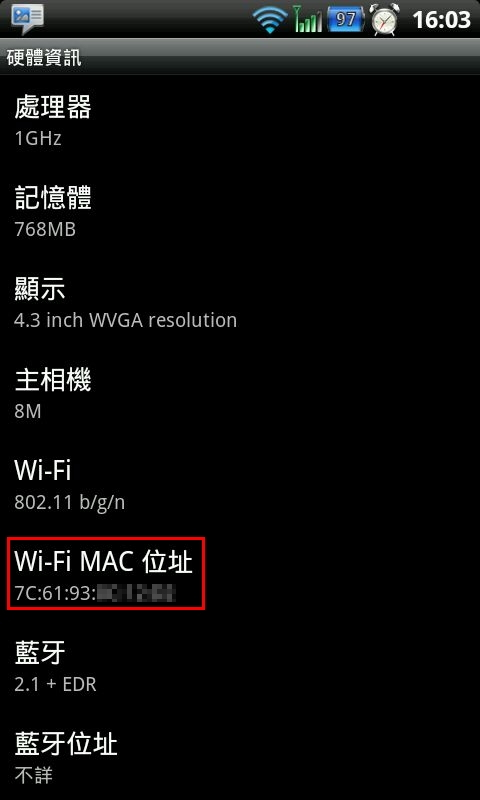
4.Locate "Wi-Fi MAC address"
For Windows system
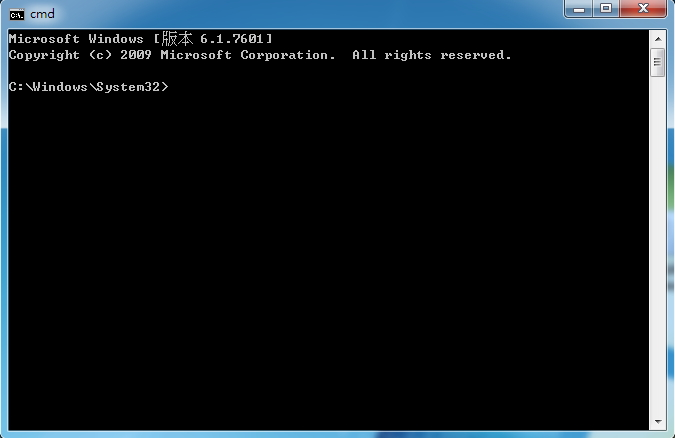
1.Click on "Start," then go to "Windows System," and open "Command Prompt"
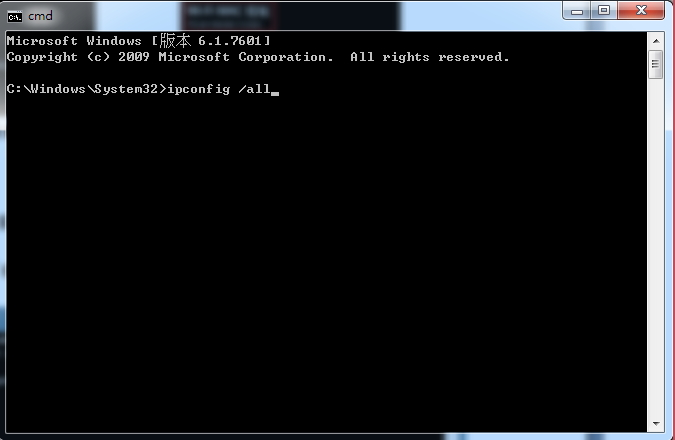
2.Type "ipconfig /all" and press Enter
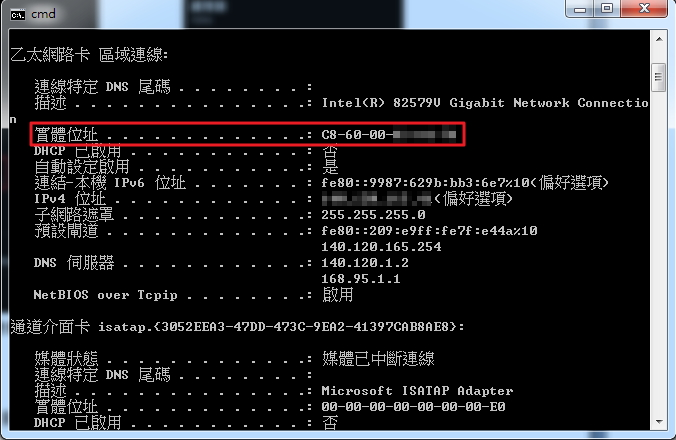
3.The Physical Address displayed is the MAC address.
Click Num: