


How to add the sender to the whitelist in spam blocking system(SQR)
update date :
2026-09-21
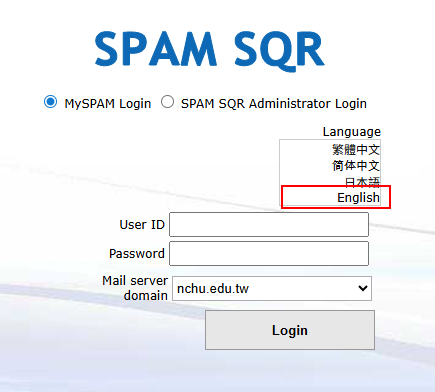
1. Login in: https://sqr.nchu.edu.tw/snspam/homepage.asp
Please click on the MySPAM personalized login in the picture below
(The username and password are the same as the email address; simply enter the username before the @ symbol.)
Mail Server domain:
Staff [nchu.edu.tw]
Student [mail.nchu.edu.tw]
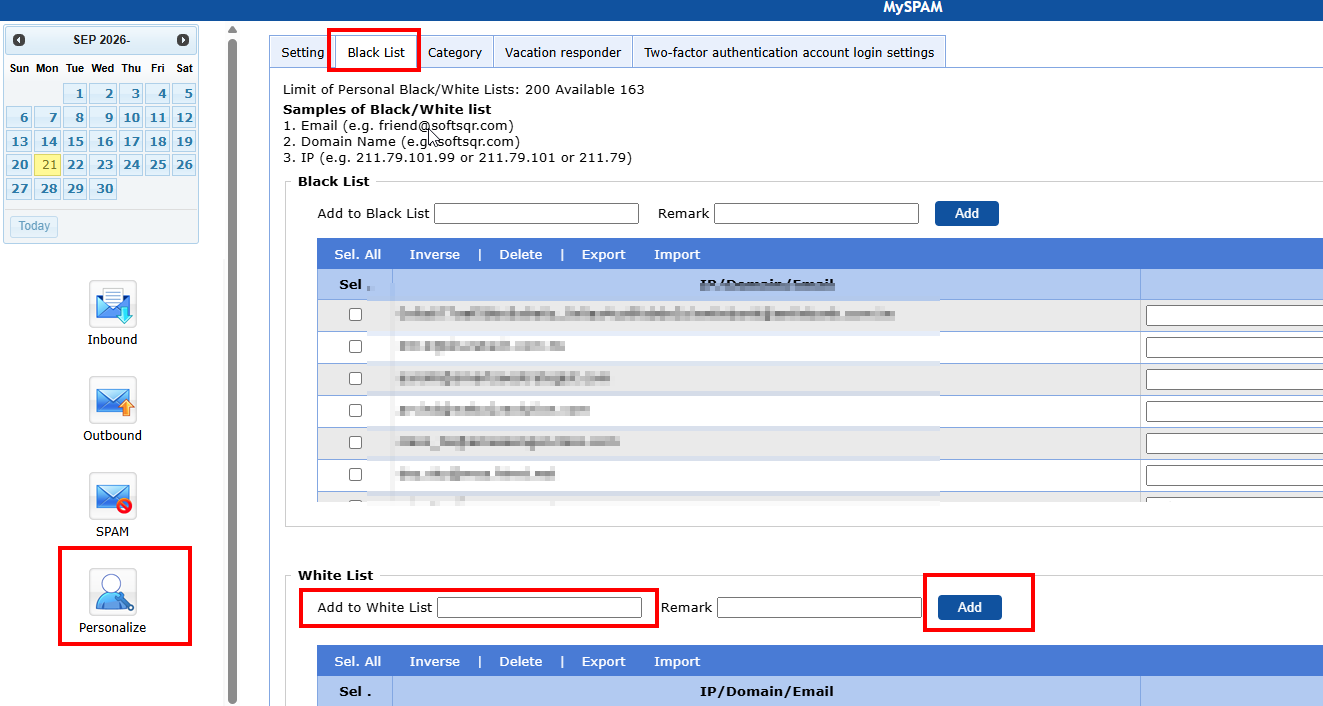
2. Find "Personalize" → "Black List", enter the recipient's email in the white list , and press Add.
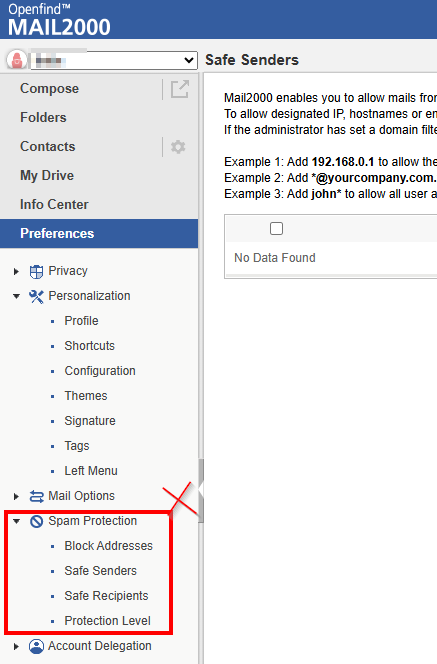
Do not use the email system's Spam Protection add Safe Senders. Whitelisting here does not prevent emails from being intercepted if they are not whitelisted in the spam blocking system(SQR).
Click Num: