


Setting Up a Backup Email Address
update date :
2026-09-23
This article explains how to set up a backup email address and how to use it to reset your password if you forget it.
It applies to faculty and staff email (dragon.nchu.edu.tw, nchu.edu.tw) as well as student email (mail.nchu.edu.tw).
We strongly recommend setting up a backup email address so that you can retrieve your password on your own in case you forget it, without needing to reset it in person at the IT center.
- Setting Up a Backup Email Address
- Once logged into WebMail, click on [Preferences].
WebMail URLs: Faculty and Staff (https://dragon.nchu.edu.tw) or Students (https://mail.nchu.edu.tw)

- Then, click on [Privacy].
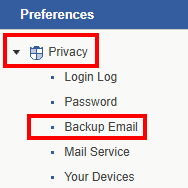
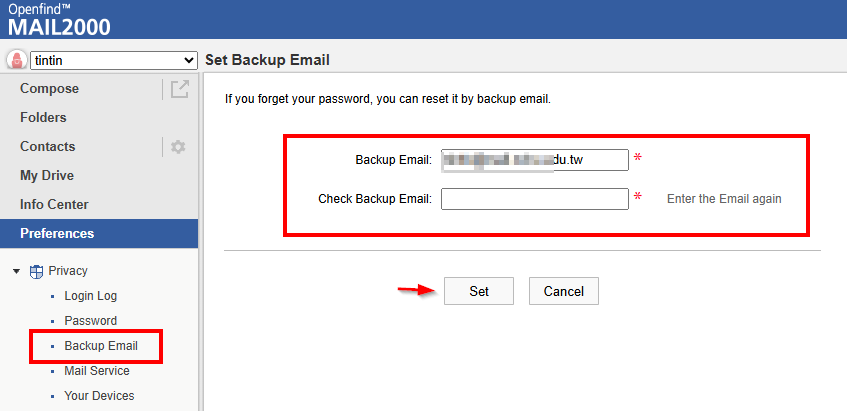
After selecting [Backup Email], enter your backup email address twice to complete the setup
- 如何利用備用信箱重設密碼 How to Reset Your Password Using the Backup Email
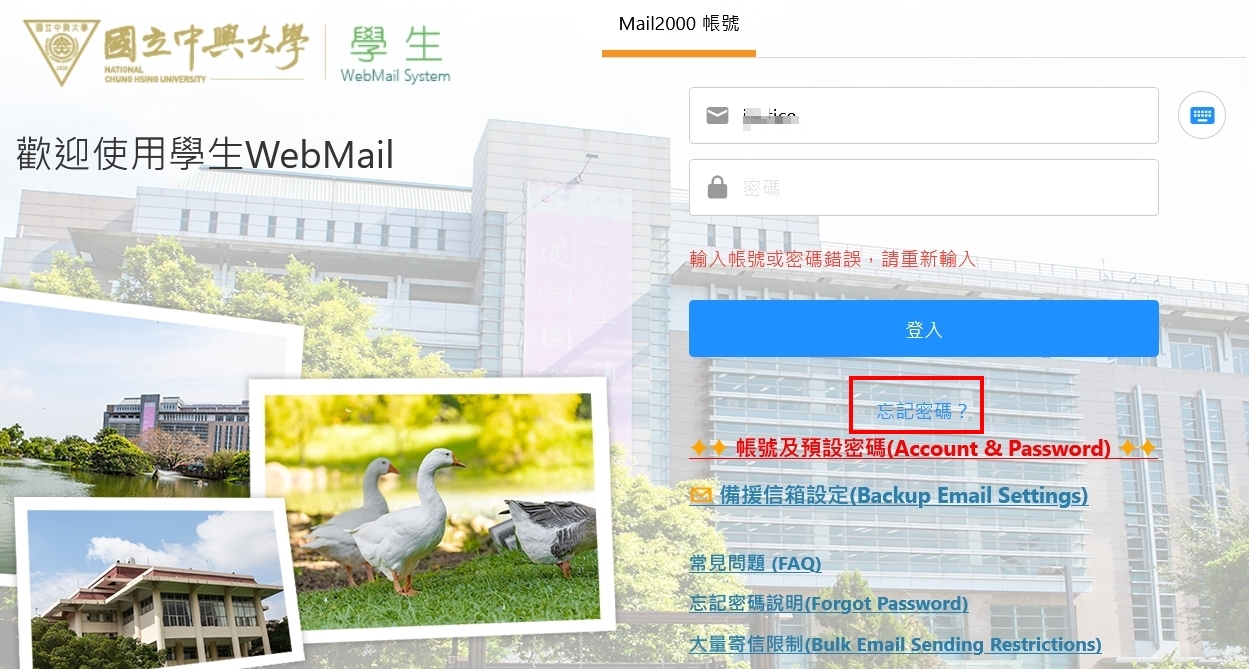
- 當登入時發生密碼錯誤時,畫面會出現[忘記密碼]的連結,請點選它。
If you enter the wrong password when logging in, a [Forgot Password] link will appear. Please click on it.
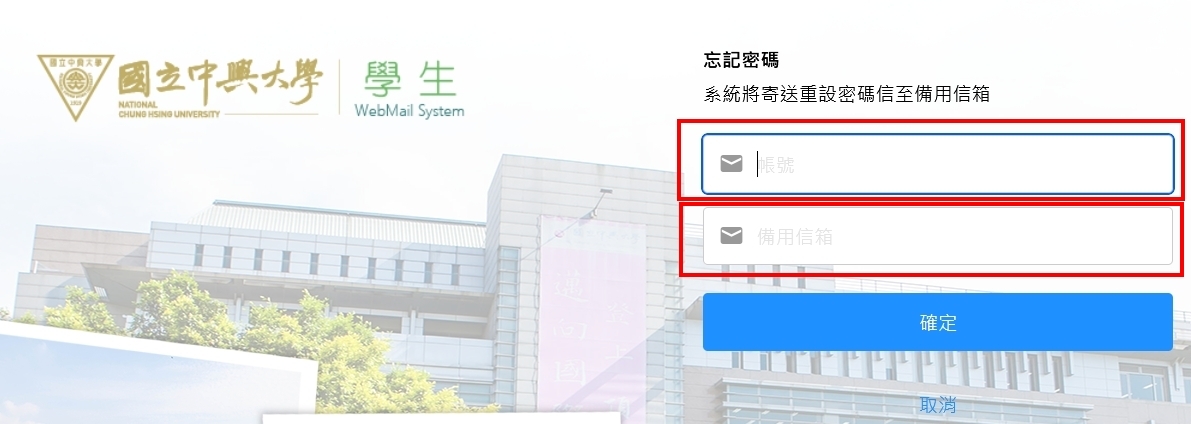
- 接著輸入您的[email 帳號],以及您當初設定的[備用信箱]
Then, enter your [email account] and the [backup email] you previously set.
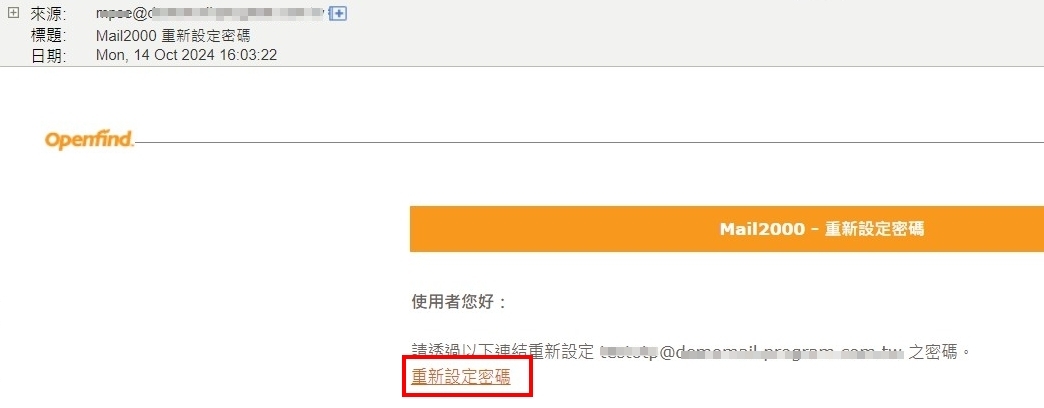
- 接下來至您的備用信箱內收信,會收到如下圖的重設密碼信件,點選[重新設定密碼],即可重新設定密碼。
Next, check your backup email inbox for a password reset email. Click on [Reset Password] to reset your password.
Click Num: